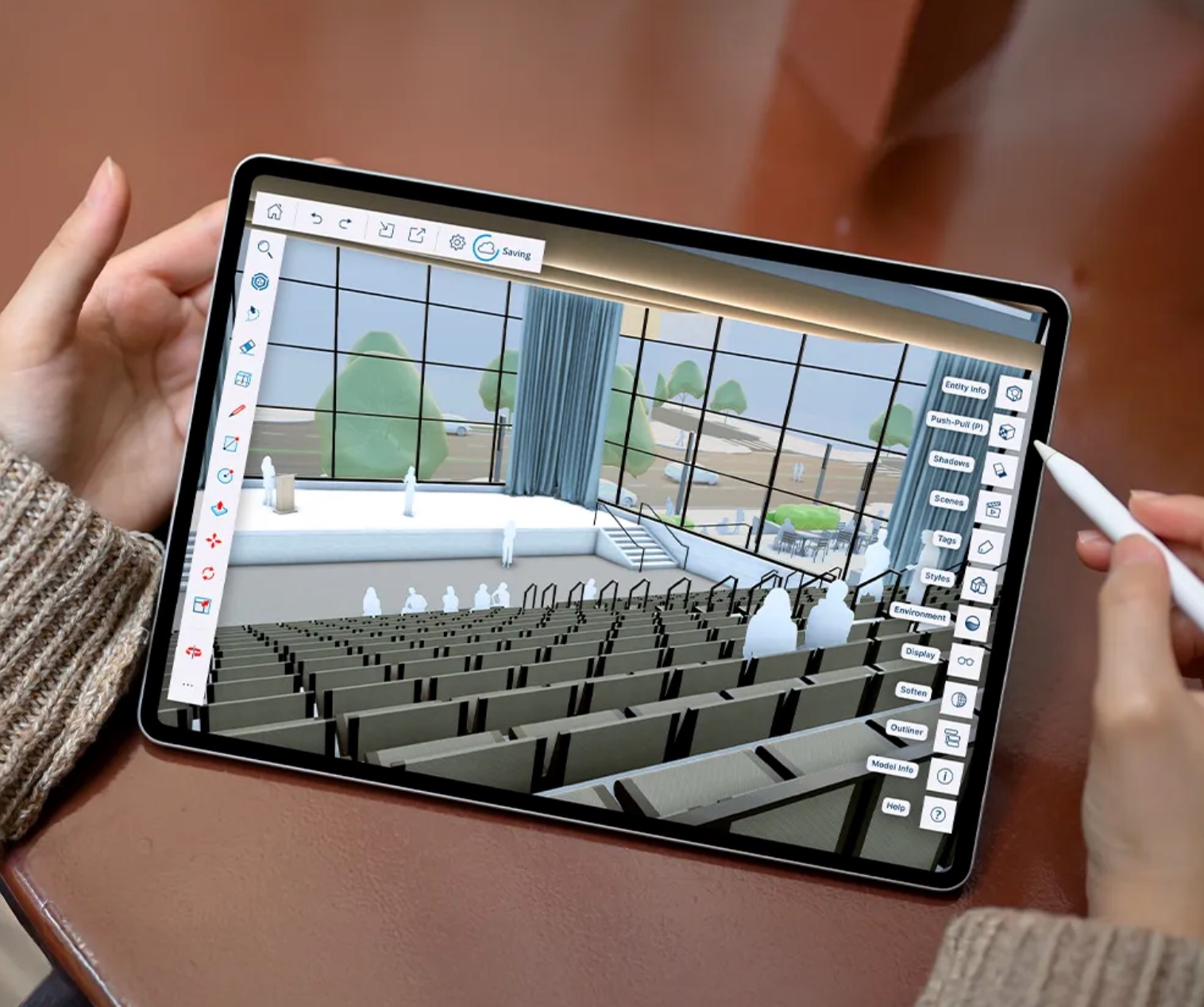
SketchUp Go 2027 is the entry-level subscription designed for designers, students and creative professionals who need reliable 3D modelling without being tied to a desktop. Whether you are sketching concepts on an iPad on-site or refining ideas through a browser at your desk, Go gives you a capable, cloud-connected workspace that is always up to date and always accessible.
With 2027, SketchUp Go receives the same collaboration and visualisation upgrades as the rest of the range — including real-time model sharing, in-app commenting, and refined Photoreal Materials on iPad. It is the most flexible way to get started with SketchUp.

Full browser-based 3D modeller, no installation required
Touch and Apple Pencil optimised modelling for on-site and mobile use
Access to SketchUp’s library of physically based materials (iPad)
Store, share and access all your projects from any device
Browse and import millions of free 3D components directly into your models
Organised access to SketchUp’s built-in furnishings and component collections
Share models for viewing and commenting on web and iOS, no licence needed
Invite clients and colleagues to view your model, leave comments and see live updates via a secure shared link
Monthly AI credits included for AI Render, Generate Textures and Generate Object features
Place and configure intelligent parametric components with scale grip controls (new in 2027)
The 2026 release brings Go subscribers meaningful improvements to collaboration and materials.
The new Collaboration Bar lets you share a live model link directly from the interface — clients and reviewers can navigate the 3D space, take measurements and leave threaded comments without needing a SketchUp account. Photoreal Materials on iPad have also been refined with greater control over physical surface properties.
Live Components now support scale grips for more intuitive placement, and custom material painting outside a component’s predefined options is now supported.
SketchUp Go does not include the desktop application, LayOut (2D documentation), or access to third-party extensions from the Extension Warehouse. It is not suited to producing construction drawings, technical documentation or advanced CAD/BIM workflows. For those requirements, SketchUp Pro or higher is recommended.
We use cookies to improve your experience on our site. By using our site, you consent to cookies.
Manage your cookie preferences below:
Essential cookies enable basic functions and are necessary for the proper function of the website.
SketchUp Go works in your web browser and on iPad only. It cannot be installed on a desktop computer, and it does not include LayOut, DWG/DXF/IFC import & export, or the Extension Warehouse.
If you need a desktop application with those tools, choose SketchUp Pro instead.
| Go | Pro | |
|---|---|---|
| Desktop install | — | ✓ |
| Price / yr excl. VAT | R2 240,00 | R6 700,00 |